Joomla Excel & CSV Table Manager
TTB Excel Table Manager
☆☆☆☆☆Be the first verified buyer to review this productImport CSV/XLSX tables, preview updates and display responsive tables in Joomla articles with simple shortcodes.
1 year of free updates includedLifetime use of downloaded software. New releases remain available during the included update period.
TTB Excel Table Manager
Import Excel/CSV tables into Joomla and display them inside articles with one simple shortcode.
Overview
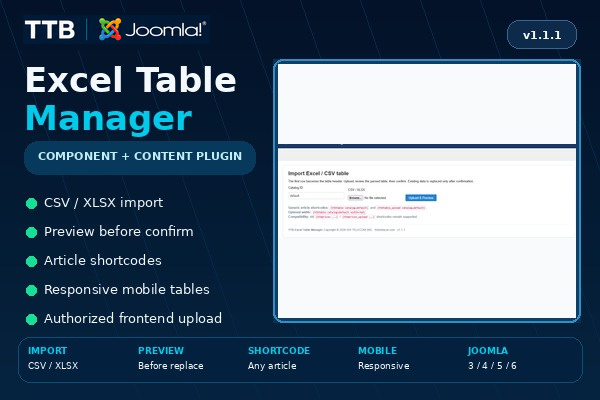
TTB Excel Table Manager is a component-led Joomla package for administrators who need to maintain structured tables without editing HTML by hand. Upload a CSV or XLSX file, preview the parsed content, confirm the change and display the table in any Joomla article through the included TTB Table Content plugin.
What it does
- Imports CSV and XLSX files.
- Uses the first spreadsheet row as the table header.
- Previews imported data before replacing the current table.
- Keeps a snapshot of the previous table when applicable.
- Supports multiple independent tables through simple Catalog IDs.
- Displays a table in an article with `{ttbtable catalog=default}`.
- Supports an optional maximum width, for example `{ttbtable catalog=default width=768}`.
- Provides an authorized frontend uploader with `{ttbtable_upload catalog=default}`.
- Restricts frontend upload to Joomla administrators or explicitly allowed Joomla user IDs.
- Adapts tables to mobile screens using a readable stacked-row layout.
- Inherits the active Joomla template typography and colours instead of forcing a separate visual theme.
- Keeps legacy `{ttbprices ...}` and `{ttbprices_upload ...}` shortcodes for existing installations.
- Migrates compatible existing price-table data when required.
- Does not require Word/DOCX handling or an external spreadsheet library at runtime.
Installation
The protected download contains two Joomla installers. Extract the delivery ZIP once and install the package matching the site:
- Joomla 3.10.x: `TTB-Excel-Table-Manager-v1.1.1-J3.zip`
- Joomla 4/5/6: `TTB-Excel-Table-Manager-v1.1.1-J4-J5-J6.zip`
After installation:
- Open Components > TTB Excel Table Manager.
- Import a CSV/XLSX file and confirm the preview.
- Add `{ttbtable catalog=default}` to the article where the table should appear.
- Use the frontend uploader shortcode only on a page intended for authorized users.
Requirements
- Separate builds for Joomla 3.10 and Joomla 4/5/6.
- Live tested on Joomla 3.10.12 and Joomla 5.4.8.
- CSV or XLSX source file.
- Content - TTB Table Content enabled; the package enables it automatically.
Important
The modern Joomla 4/5/6 build is provided as a separate package from the Joomla 3 build. Test the package on the target site before production use, especially when upgrading an older Joomla installation or importing unusually large spreadsheets.
License, updates and delivery
Lifetime use of the downloaded software. One year of free updates and protected account downloads is included by default.
- 1 year of free updates
- Lifetime software use
- Account-bound downloads
- 10 protected downloads per product
Login is required only when you continue to Stripe.
Related guides
Ratings & Reviews
Only customers with a paid order for this product can submit a rating.
Login with the account used for your purchase to rate it.
Login