Joomla Slideshow Manager Extension
TTB Slideshow Manager
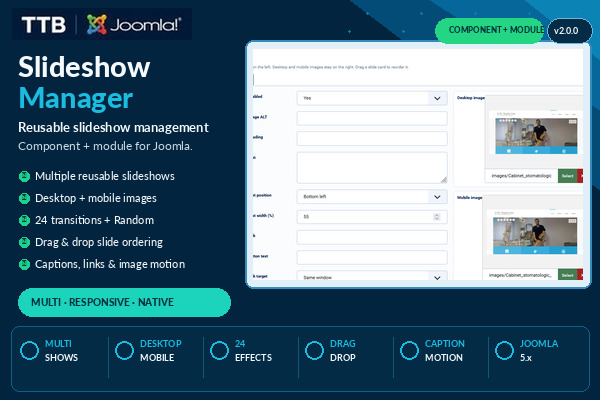
☆☆☆☆☆Be the first verified buyer to review this productCreate multiple reusable Joomla slideshows with desktop/mobile images, 24 transitions and native module placement.
1 year of free updates includedLifetime use of downloaded software. New releases remain available during the included update period.
Overview
TTB Slideshow Manager creates reusable Joomla slideshows in a dedicated component and places them through a native Joomla site module. Build slideshow content once, reuse it where needed and keep position, access, schedule, language and menu assignment in Joomla's module manager.
What it does
- Creates and manages multiple reusable slideshow records.
- Adds and reorders slides from a compact administrator interface.
- Supports separate desktop and optional mobile images through Joomla Media Manager.
- Adds image ALT, heading, text, link, button label, target, focal point, text position and width.
- Provides 24 transition choices including Random.
- Provides caption-animation and slow image-motion presets.
- Allows per-slide transition, caption, motion and delay overrides.
- Configures autoplay, default delay, transition duration, responsive ratio/fixed height, Cover/Contain, overlay and text colours.
- Shows or hides navigation arrows and dots.
- Supports pause on hover, keyboard navigation and touch/swipe gestures.
- Uses a native Joomla site module for placement, access, schedule, language and menu assignment.
- Includes contextual administrator tooltips and 10 languages: EN, RO, DE, FR, ES, IT, PT, NL, PL and TR.
- Uses native JavaScript and CSS without an external slideshow runtime dependency.
Installation
- Upload TTB-Slideshow-Manager-v2.0.0.zip in Joomla Administrator > System > Install > Extensions.
- Open Components > TTB Slideshow Manager and create a slideshow.
- Add slides, images, text, links and optional per-slide effects.
- Create a Site Module of type TTB Slideshow Manager.
- Select the slideshow, choose a module position and publish it.
- Add the TTB product key in the slideshow editor or component Options.
- Check the selected frontend position on desktop and mobile.
Requirements
- Designed for Joomla 4.x and 5.x.
- Administrator workflow and Joomla Media Manager selection validated on Joomla 5.4.8.
- Joomla Media Manager for image selection.
- A frontend template position that renders the selected site module.
- JavaScript enabled in the visitor browser.
Important
The active Joomla template controls the final available module positions and can influence spacing around the slideshow. Joomla 6 remains a compatibility target until dedicated live validation is completed.
License, updates and delivery
The purchase includes lifetime use of the downloaded software plus one year of free updates and protected account downloads. A missing or invalid product key does not disable the slideshow, but may display Powered by tictacbazar.com on pages where the module is active. License checks are cached locally and a temporary licensing-service outage does not disable the slideshow.
- 1 year of free updates
- Lifetime software use
- Account-bound downloads
- 10 protected downloads per product
Login is required only when you continue to Stripe.
Related guides
Ratings & Reviews
Only customers with a paid order for this product can submit a rating.
Login with the account used for your purchase to rate it.
Login